New York Magazine
- 4.0
- Rating
- 10.00K
- Installs
- Free
- Price

 Analysis by App-foxy
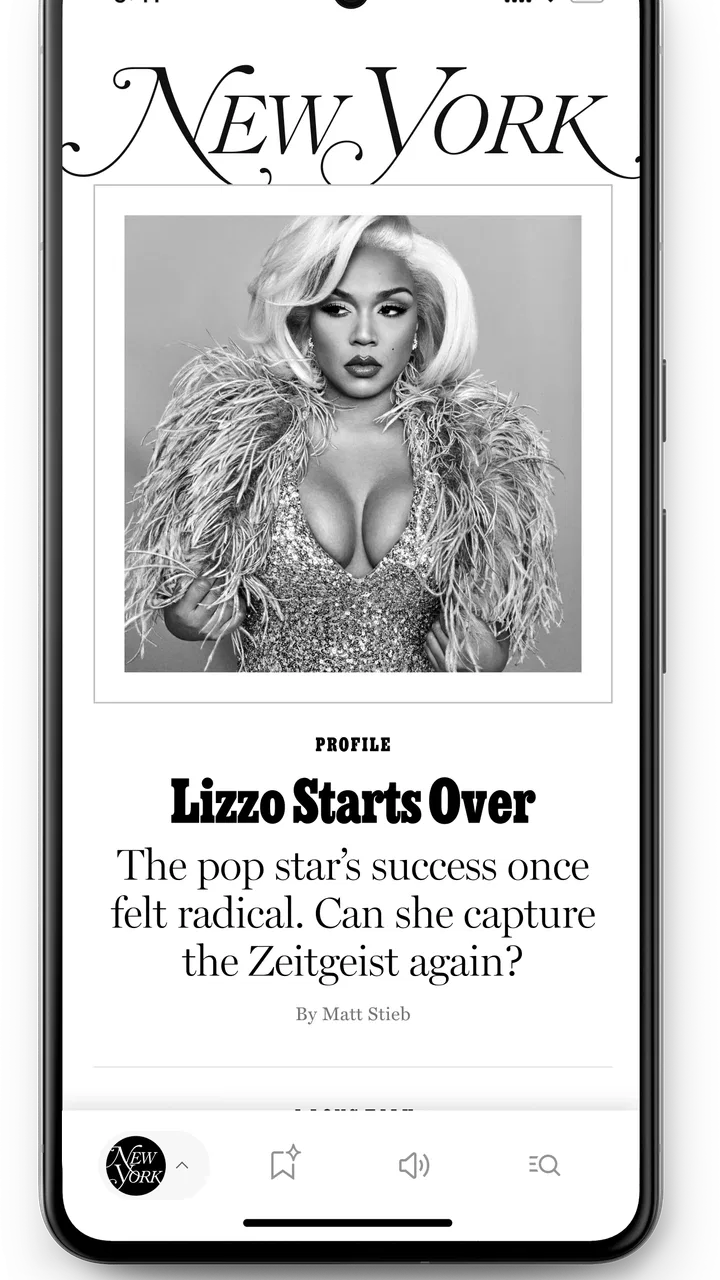
I spent time with the New York Magazine app as a mobile reading tool, and its main appeal became clear quickly: it brings the magazine’s journalism into a focused phone and tablet experience instead of making me work through a general news feed. That sounds simple, but it changes how I approach reading. I am less likely to open it looking for every headline of the day and more likely to use it when I want to settle into a reported story, an opinion piece, or a culture article without the visual clutter of a broad news aggregator.
This is a free News & Magazines app from Vox Media Engineering, aimed at teen users and above. It arrived on February 4, 2025, and the current release is version 1.0.37. The app has reached over ten thousand installs, with a 4.0 average from roughly forty ratings and fifteen written reviews. Those figures suggest an early product that has attracted real interest but is still being shaped by a relatively small audience. I would treat it as a promising reading destination rather than a mature replacement for every news service on my phone.
What the app is really good at: turning magazine reading into a deliberate habit
The capability I found most valuable is not simply access to articles. It is the ability to make New York Magazine feel like a destination for intentional reading. Most news apps compete for quick attention: a stream of alerts, short headlines, and constantly changing topics. This app works better when I choose a subject and give it a little time. The difference matters because magazine journalism often depends on context, voice, and a longer argument than a headline can provide.
You May Also Like

 AccuWeather: Weather Radar
AccuWeather Review: A Quick, Clear Forecast for Everyday Decisions
For everyday plans, the best forecast is the one you can understand quickly. AccuWeather makes rain timing, radar, and local conditions easy to act on, with a few trade-offs.

 Hill Climb Racing
Why Hill Climb Racing Still Turns Crashes Into One More Run
A tiny car, a bumpy hill and one more upgrade: Hill Climb Racing keeps resurfacing because its simple chaos makes every near-miss feel personal.

 AliExpress - Shopping App
AliExpress Makes Global Shopping Feel Personal, but Shoppers Bear the Risk
AliExpress turns a global marketplace into a pocket-sized discovery engine. Its reach is useful, its shopping loop compelling, and its trade-offs easy to miss.

 Lords Mobile: Kingdom Wars
Lords Mobile Is a Kingdom-Building Routine, Not a Quick Match
A case-by-case verdict on the building, battles, device demands, and social commitments that make Lords Mobile rewarding for some players and exhausting for others.

 PDF Scanner app - TapScanner
TapScanner Makes Paperwork Easier to Capture, Check, and Share
TapScanner makes scanning with a phone feel less like a rescue operation and more like a dependable step in getting work done. Its capture tools are useful, though not flawless.

 Block Blast!
 Shows How Much a Puzzle Game Can Leave Out
A quiet grid game shows why puzzle players increasingly value instant clarity, repeatable skill and low-pressure play—and where the genre still needs to catch up.
More From Our News Desk
View All News


When I open the app with a specific interest in mind, I can treat it as a curated shelf rather than a general-purpose news terminal. That is useful for readers who follow New York culture, politics, media, restaurants, entertainment, or city life and want the publication’s particular editorial perspective. I do not have to decide between dozens of unrelated sources before I begin. The publication itself sets the boundaries, which makes the experience calmer than a large aggregator.
The strongest use of this app is focused reading, not constant breaking-news monitoring. That distinction should guide your expectations. If your first question each morning is what happened in the last five minutes around the world, a wire-service app or a broad news platform will probably serve you better. If you want to return to a publication with a recognizable voice and spend time with its coverage, this is a much more natural fit.
I also like the way a dedicated magazine app can change my reading behavior. In a browser, I often open an article through a search result, get distracted by other tabs, and leave before reaching the end. In a publication-specific app, the purpose is clearer. I am there to read what this magazine is offering. That does not guarantee concentration, of course, but the narrower setting makes it easier to build a routine around longer pieces.
Why a publication-specific app can beat a general news feed
General news apps are excellent for breadth. They gather many outlets, compare headlines, and help me scan a wide range of subjects quickly. Their weakness is that the reading experience can become fragmented. I may see several versions of the same story, jump between writing styles, and spend more time sorting the feed than understanding an article.
The New York Magazine app makes a different trade. It gives up some of that breadth in exchange for a more consistent editorial identity. I know that opening it means entering one publication’s world rather than browsing an endless mixture of sources. For someone who already enjoys the magazine, that consistency is a strength. For someone who wants neutral aggregation or local reporting from many cities, it can feel narrow.
This also makes the app useful as a second news tool. I would not replace every source on my phone with it. Instead, I would use a general news app for urgent updates and broad awareness, then open this one when I want analysis, criticism, or a story with more personality. That division prevents the app from being judged for something it is not trying to be.
How I would use it in everyday life
A realistic scenario is a weekday commute or lunch break when I have enough time for one substantial article but not enough time to browse the whole internet. I would open the app, scan the available editorial choices, and select one story based on the subject rather than chasing every new alert. The benefit is not speed; it is reducing the number of decisions between opening the app and actually reading.
Another good routine is an evening reading session. Instead of scrolling through short posts, I can use the app as a deliberate end-of-day stop. I would choose one article, read it without switching between unrelated sources, and leave with a more complete understanding of a topic. This is especially appealing when I want journalism with a magazine sensibility rather than a stream designed around rapid refreshes.
On a tablet, that kind of use should feel even more natural because longer text benefits from a larger screen. On a phone, the experience is more personal and convenient, but I would expect frequent interruptions from messages and other apps to remain a problem. The app can support focused reading, yet it cannot create uninterrupted time for me. I still need to choose when to put the phone into a quieter mode.
One practical tip is to open the app with a question, not just with the hope of being entertained. For example, I might want to understand a cultural argument, follow a city issue, or catch up on a subject I have been hearing about. That approach helps me judge whether an article is worth my limited time. It also makes the app feel more like a reading companion than another place to passively scroll.
What I would check before making it my main news app
I would first consider how I normally consume news. If I prefer short summaries, rapid alerts, and a single screen that combines many publishers, this app may feel too specialized. Its value depends on appreciating the publication’s selection and style. A reader who does not care about New York Magazine’s editorial personality may find a broad aggregator more efficient.
I would also think about reading length. Magazine articles can reward patience, but they are not always ideal for a two-minute queue or a quick glance between tasks. I would keep another option available for fast updates and use this app when I can give an article proper attention. That is not a flaw in the app so much as a reminder that different reading tools serve different moments.
The Teen content rating also makes the intended audience clear enough for families and younger readers to consider before installing. I would still make individual decisions based on the subjects and tone of the journalism a young person plans to read. The rating is a useful starting point, but it should not replace parental judgment about specific articles.
The small but important tradeoffs
The first tradeoff is focus versus variety. A dedicated publication app can remove the noise of a mixed feed, but it also limits the range of viewpoints and sources available in one place. I appreciate the reduced clutter, yet I would not use it as my only way to understand a complicated public issue. Reading beyond one publication remains important, particularly when a subject is contentious or rapidly changing.
The second tradeoff is depth versus immediacy. A magazine-oriented experience is more rewarding when I have time to follow an argument, but it is less convenient when I only want a quick confirmation of an event. I would avoid opening the app during a moment when I need minute-by-minute updates. In that situation, a breaking-news service is the better tool.
The third tradeoff is early maturity. The current version, 1.0.37, shows that the app is receiving ongoing versioned development, but the relatively modest number of ratings means the public track record is still limited. I would expect some readers to encounter rough edges as the product evolves. That is not a reason to reject it, but it does mean I would keep my expectations realistic and update the app when new releases appear.
There is also a psychological tradeoff. A focused publication app can make reading feel more meaningful, but it can still become another source of passive consumption if I open it without a purpose. I found that the best experience came from choosing an article and finishing it, not from repeatedly checking the app for an endless supply of stimulation. The tool helps with intention; the habit still depends on me.
How it compares with the alternatives I already use
Compared with a browser, the app offers a more direct route into the publication. A browser is more flexible and makes it easier to search across many websites, but it also surrounds an article with unrelated tabs, recommendations, and distractions. I would choose the browser when I need research across several sources. I would choose this app when I already know I want New York Magazine’s perspective.
Compared with a news aggregator, the app sacrifices breadth for identity. Aggregators are better for scanning the day and comparing coverage. This app is better when I want a coherent editorial experience. Neither approach is universally superior. The right choice depends on whether my priority is discovering many headlines or engaging with one publication’s journalism.
Compared with social media, the app is a healthier starting point for serious reading because I am not relying on a social feed to decide what deserves attention. Social platforms can expose me to unexpected stories, but they also mix reporting with commentary, reactions, and repetition. This app gives me a clearer boundary around the reading experience. I still need to evaluate what I read, but I am beginning with a more defined source.
Compared with a dedicated newspaper app, the decision comes down to editorial taste. A newspaper app may be preferable for broad daily reporting, local coverage, or a traditional news structure. New York Magazine is more attractive to me when I want its distinctive treatment of culture and city life, along with the kind of writing that benefits from a magazine format.
Who gets the most from installing it
I think the best audience is a reader who already seeks out New York Magazine or wants a more focused way to follow its work. It is also a good choice for people who feel overwhelmed by noisy news feeds and would rather open one publication with a clear editorial identity. Students, media followers, culture readers, and anyone building a slower reading routine may find that the app fits naturally into their day.
It can also work well for someone who reads in short but intentional blocks. A lunch break, train ride, or quiet evening is enough if the goal is one thoughtful article rather than a complete survey of current events. The free price removes an obvious barrier to trying it, so I would recommend installing it and seeing whether its reading rhythm matches your habits.
I would be more cautious about recommending it to someone who wants a single app for every kind of news. It is not the right choice for a reader whose priorities are emergency updates, global headline volume, live scores, or a constant cross-publication comparison. Those users should pair it with a broader service or choose a different primary app.
I would also skip it if I know I rarely finish long-form articles or if I only want quick summaries. The app’s central strength becomes less meaningful when I do not have the patience to engage with magazine-style writing. In that case, a concise news reader would be a better match and probably a better use of storage and attention.
My final take on the mobile reading experience
After using it, I see the New York Magazine app as a focused gateway to one publication rather than a universal news solution. Its real contribution is the way it encourages me to read with a destination in mind. Instead of asking the app to deliver everything, I use it when I want the magazine’s voice, subjects, and style in a dedicated setting.
The 4.0 average from its early group of users feels consistent with that position: appealing and useful, but still young enough that individual expectations will matter. The free download makes experimentation easy, while the ongoing version history suggests a product that is still settling into its mobile form. I would not install it expecting a complete replacement for an aggregator, but I would gladly add it to a reading setup built around depth and editorial character.
My recommendation is straightforward. If you want New York Magazine on your phone and value focused journalism over an all-purpose headline stream, this app is worth trying. Give it a specific role, use it for deliberate reading, and keep a broader source nearby for urgent or wide-ranging coverage. Used that way, it does not need to do everything to be useful; it only needs to make this particular magazine easier to return to.
FAQs for New York Magazine
01What is New York Magazine and what can I read in the app?
New York Magazine is a digital publication covering New York City, politics, culture, entertainment, fashion, food, technology, and lifestyle. After installing the app, readers can browse a selection of current stories, opinion pieces, guides, and magazine content in a mobile-friendly format. The exact articles available may vary depending on your location, subscription status, and the publication’s current access policy.
02Is the New York Magazine app free to download and use?
The app can generally be downloaded without paying an installation fee, but downloading it does not necessarily provide unlimited access to every article. Some content may be available for free, while other stories can require a subscription or may be restricted after you reach a reading limit. Before subscribing, check the in-app pricing, trial terms, renewal conditions, and whether billing is handled through Apple or Google.
03Do I need a subscription to read New York Magazine articles?
A subscription may be required for full access to premium journalism, archived stories, digital magazine issues, newsletters, or other subscriber benefits. Free users may still be able to read selected articles and explore the app, but access can change over time. If you already subscribe through the website or another service, sign in with the associated account to determine whether your membership includes app access.
04Can I save articles or read New York Magazine content offline?
The app may offer features such as saving stories, bookmarking articles, or downloading selected magazine content, although availability can depend on the app version and your subscription plan. Offline reading is especially useful during travel or when you have limited connectivity, but not every article is guaranteed to support it. Keep the app updated and review its account or reading settings for the available options.
05What devices and permissions are required to use New York Magazine?
New York Magazine is designed for supported Android and iOS devices, but the minimum operating-system requirements can change with future updates. You will need an internet connection for downloading content and normally for loading the latest stories. The app may request permissions related to notifications, analytics, or account functionality. You can deny optional permissions, although doing so may limit alerts or personalized features.
Pros
- Covers New York culture
- dining
- politics
- and entertainment in one place.
- Articles are generally polished
- distinctive
- and enjoyable to read.
- Useful city guides help with restaurants
- events
- and local discoveries.
- Strong opinion and analysis provide more depth than basic news apps.
- Clean interface makes browsing sections and saving stories straightforward.
Cons
- Much of the best content may require a paid subscription.
- Some articles are geared mainly toward New York City residents.
- Frequent notifications can feel excessive unless carefully customized.
- The app may use more storage and data for images and multimedia.
- Certain sections can feel uneven depending on current editorial coverage.

New York Magazine
Gallery